One evening, Wofa Kwabena called from the hometown. "Mr Owusu wants to talk about his agreement. Do you have it? When does it end?"
Kofi went to the wardrobe and searched through the brown envelope, then a plastic folder, then a second folder. Twenty minutes later, he was still looking.
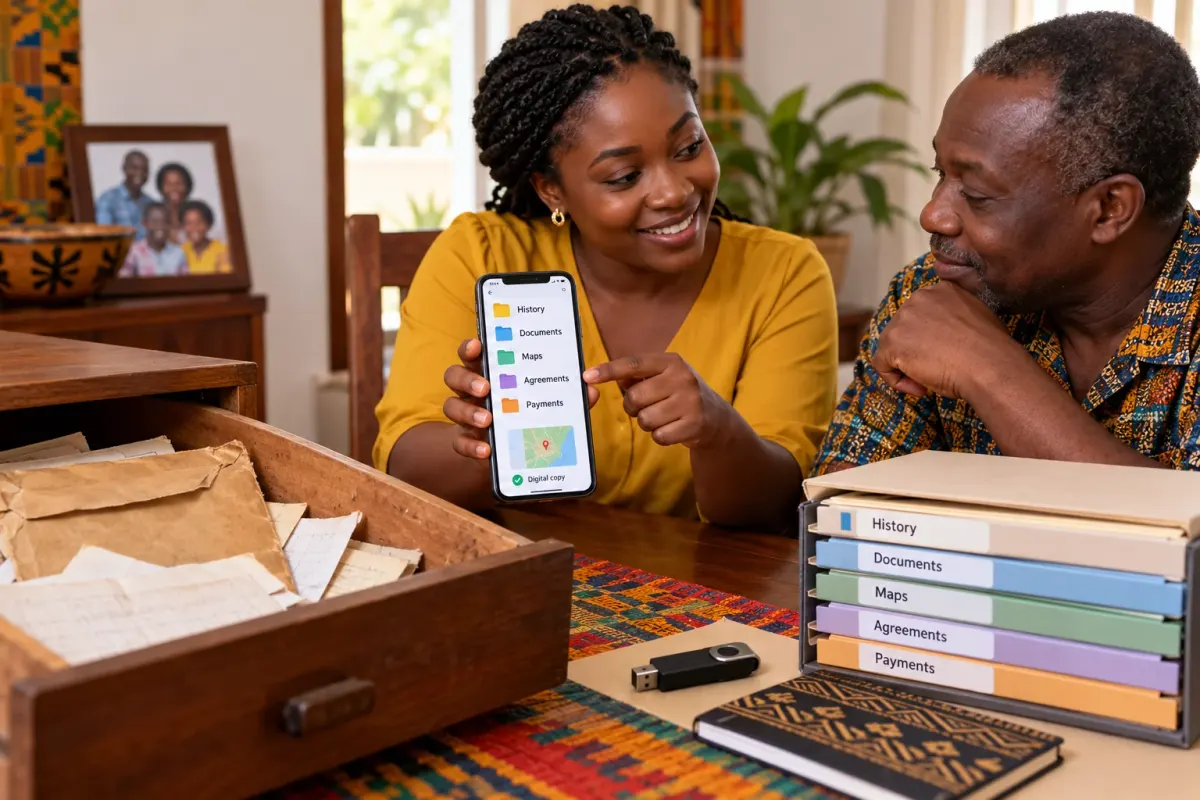
Adwoa picked up her phone. "Daddy, what if every page were here, named and in order, so you could find it in seconds?"
The Mensahs are a fictional family. Their story follows common situations that many Ghanaian families will recognise.
Why digital copies help
Paper records are precious, but they get mixed up, misplaced or damaged, and they are hard to share with relatives in other towns or abroad.
Digital copies help a family:
- Find information quickly, without searching through envelopes.
- Keep a backup in case an original is lost or damaged.
- Share information carefully with the right family members, wherever they live.
- See the whole picture: history, documents, plans, agreements and payments in one organised place.
Digitising your existing survey plan and records is a practical step, and one where young people's skills are especially useful.
What digital copies are, and are not
A digital copy is a picture or scan of a document. It is useful, but it is not the original.
- A scanned site plan is a copy of the surveyor's plan. It is not a new survey.
- A digital map on a phone or computer can help the family see and understand the land. It does not replace a licensed surveyor's plan or an approved plan.
- A digital folder organises the family's records. It does not register anything with the authorities.
Keep the originals safe. Some official processes may require originals or certified copies, so the digital copy works alongside them, not instead of them.
Step 1: Make clear copies
Use a scanner if one is available. Otherwise, a phone works well:
- Lay each page flat in good, even light.
- Capture every edge, so no signature, stamp or note is cut off.
- Check it is readable before moving to the next page.
- Use a scanning app if you have one. Many phones can save several pages as a single PDF.
Always ask permission before copying family documents.
Step 2: Name files clearly
A file called "IMG_4372" tells nobody anything. Choose a simple naming pattern and stick to it, for example:
Date – Type – Description 1987 – Letter – Family meeting about the farm 2026 – Site plan – Farmland near the stream 2026 – Receipt – Survey payment
Step 3: Organise folders
Adwoa set up one main folder, "Mensah Family Land", with a few folders inside:
- History: notes and recordings of conversations with elders.
- Documents: letters, agreements and other papers.
- Plans and maps: the site plan and sketches, clearly labelled.
- Registration: receipts, reference numbers and her tracking notes.
- Use and payments: Mr Owusu's agreement and payment records.
She also labelled the maps carefully: "Nana's sketch (not to scale)", "Phone map (approximate)", and "Site plan by licensed surveyor". Anyone opening the folder would know exactly what each one was.
Step 4: Keep backups
One copy in one place is not enough. Phones get lost, and computers fail.
- Keep at least two copies in different places, such as a secure cloud account and a memory stick kept at home.
- Update the backup whenever new documents are added.
- Protect accounts with strong passwords and, where possible, two-step sign-in.
Step 5: Share carefully
Family land records are private. Share them only with people the family has agreed should have access.
- Share the folder directly with named family members, rather than sending documents around.
- Never post land documents on social media or in group chats.
- Agree who can view, and who can change, the files.
In the Mensah family, Kofi and Wofa Kwabena agreed that the folder would be shared with Kofi, Wofa Kwabena and Adwoa. Other relatives could ask to see particular documents.
Doing it yourself, or getting help
Many families can organise digital copies themselves using a phone and free tools. That is a great place to start.
Some families may prefer support. We plan to offer an optional land digitisation and management service, which would digitise a family's existing survey plan and records and provide a private place to organise and manage them. It is entirely optional and is not needed to follow anything in this series. Whichever way a family chooses, digital records support official surveying and registration; they do not replace them.
How you can help
- Offer to scan or photograph the family's documents, with permission.
- Set up the folders and agree on a naming pattern.
- Keep the backup up to date.
- Show your parents and elders how to find what they need.
Questions to raise at home
- "Who in our family should be able to see our land records?"
- "Where should we keep a second copy, just in case?"
What comes next
When Wofa Kwabena called again, Kofi found the agreement in seconds. Then he looked at his daughter and said something that surprised her. "This is not only for us. It is for your children too."
In the final article, Ready for the Next Generation, we bring everything together so the family's knowledge and records last.